
Complete workout
10-Minute HIIT Interval Workout →
Use a full routine with exercises, timing and rests.
GD-07 / Start here
Yes, when the workout app supports background playback. Start the session, switch to what you need, and use the active workout notification to check status or controls.
The idea
Leaving the main player screen does not have to mean ending the session. The active workout can continue while you change music or use another app.
The notification is the visible reminder and control point for that running session. Return to the full player whenever you want more detail.
A practical example
This describes normal background playback. It does not depend on keeping the CrazyFit screen open.
Keep in mind
Phone settings and platform restrictions can affect background behavior. This guide covers the normal feature flow; device-specific troubleshooting is outside this guide.
How CrazyFit helps
CrazyFit continues the active workout in the background and shows Android notification controls, so switching apps does not intentionally stop your session.
Try CrazyFit on Google Play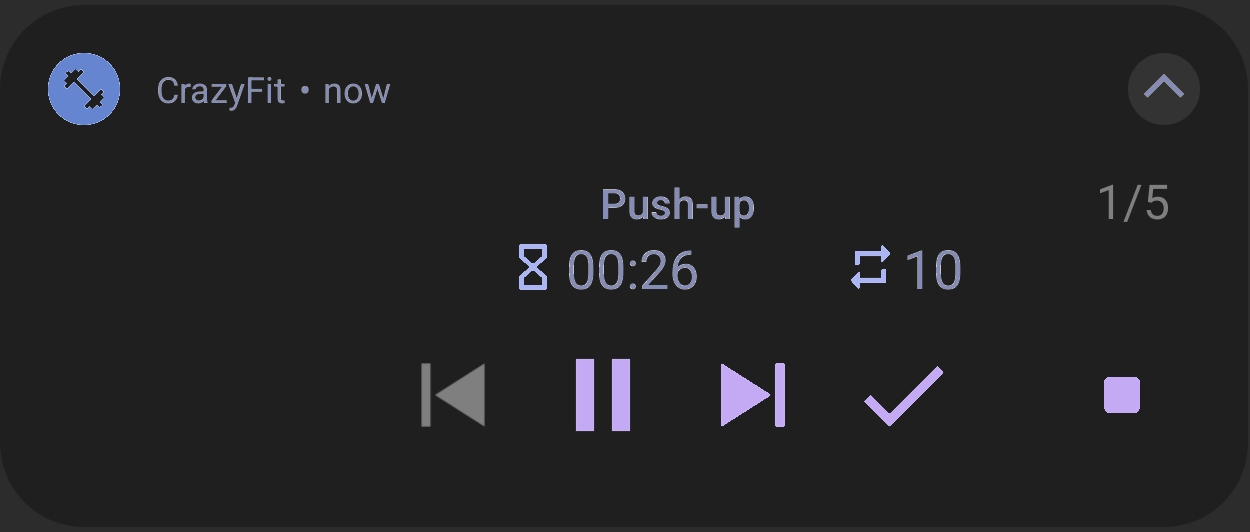
Build it. Run it. Track it.
Use CrazyFit to create, follow and review workouts that fit your training.
Try CrazyFit on Google Play