
Reusable routines
Build once. Reuse where it fits.
Create a warm-up workout once, then include that existing routine in both your upper-body and full-body workouts. It stays a reusable building block.
Explore reusable routines →CrazyFit Workout Time
Create workouts around the way you actually train. Follow them without unnecessary complexity, change the plan when you need to, and see how your performance develops over time.
01 / Build it
Reps, timers, rests, weights, sets, and reusable routines can live in the same workout. The structure follows your training plan.
Flexible workout builder
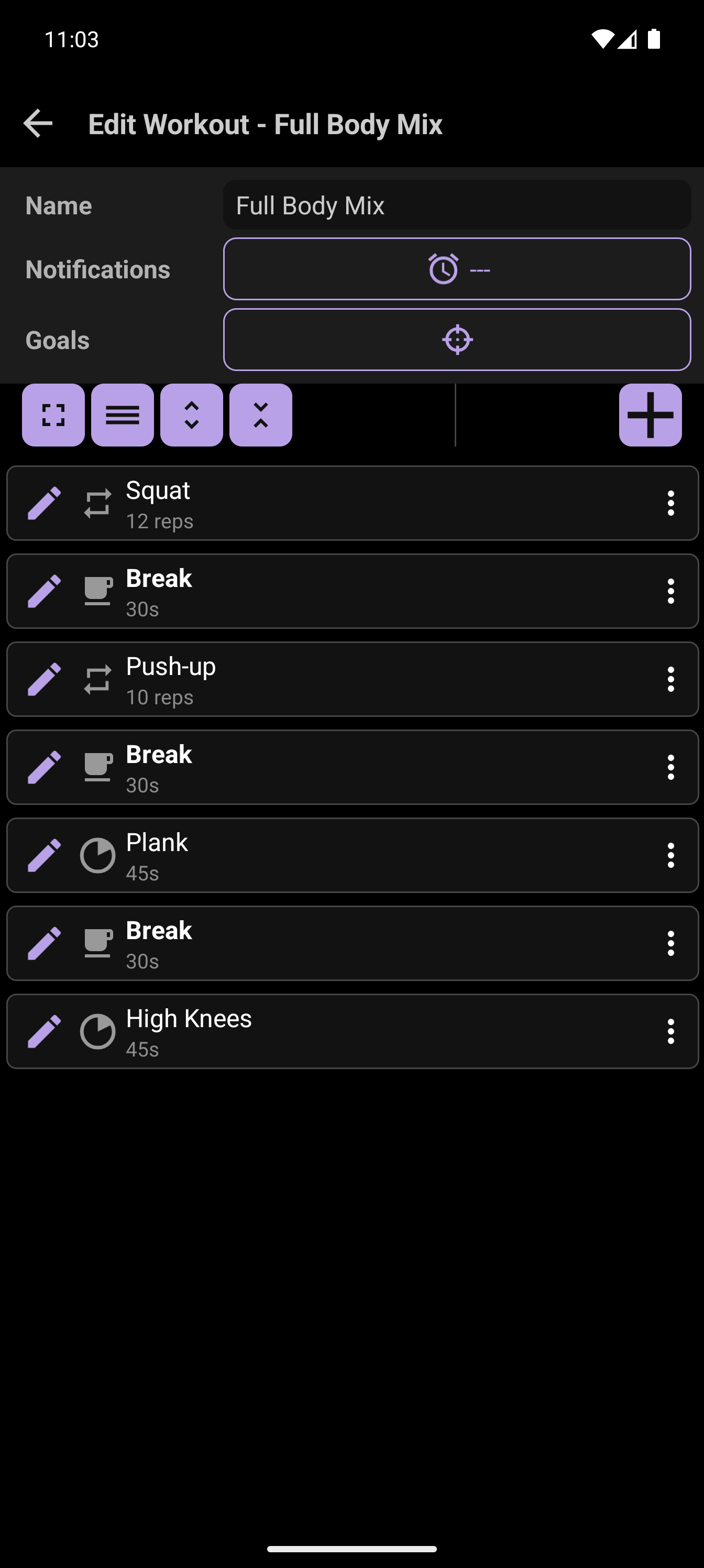
Start with 12 squats, rest for 30 seconds, do 10 push-ups, rest again, then hold a 45-second plank and finish with 45 seconds of high knees. Add weights or group exercises where they belong. CrazyFit keeps the sequence together instead of forcing every step into one timer format.
Reusable routines
Create a warm-up workout once, then include that existing routine in both your upper-body and full-body workouts. It stays a reusable building block.
Explore reusable routines →Custom exercises
When an exercise is missing from the built-in choices, create it and reuse it in the workouts you build next.
Explore custom exercises →Your structure
Combine repetition and time-based steps with rests, sets, weights, and groups without losing the shape of your workout.
See a mixed-workout example →02 / Run it
Start with a clear, simple player. More control is there when training takes a different turn.
Simple View
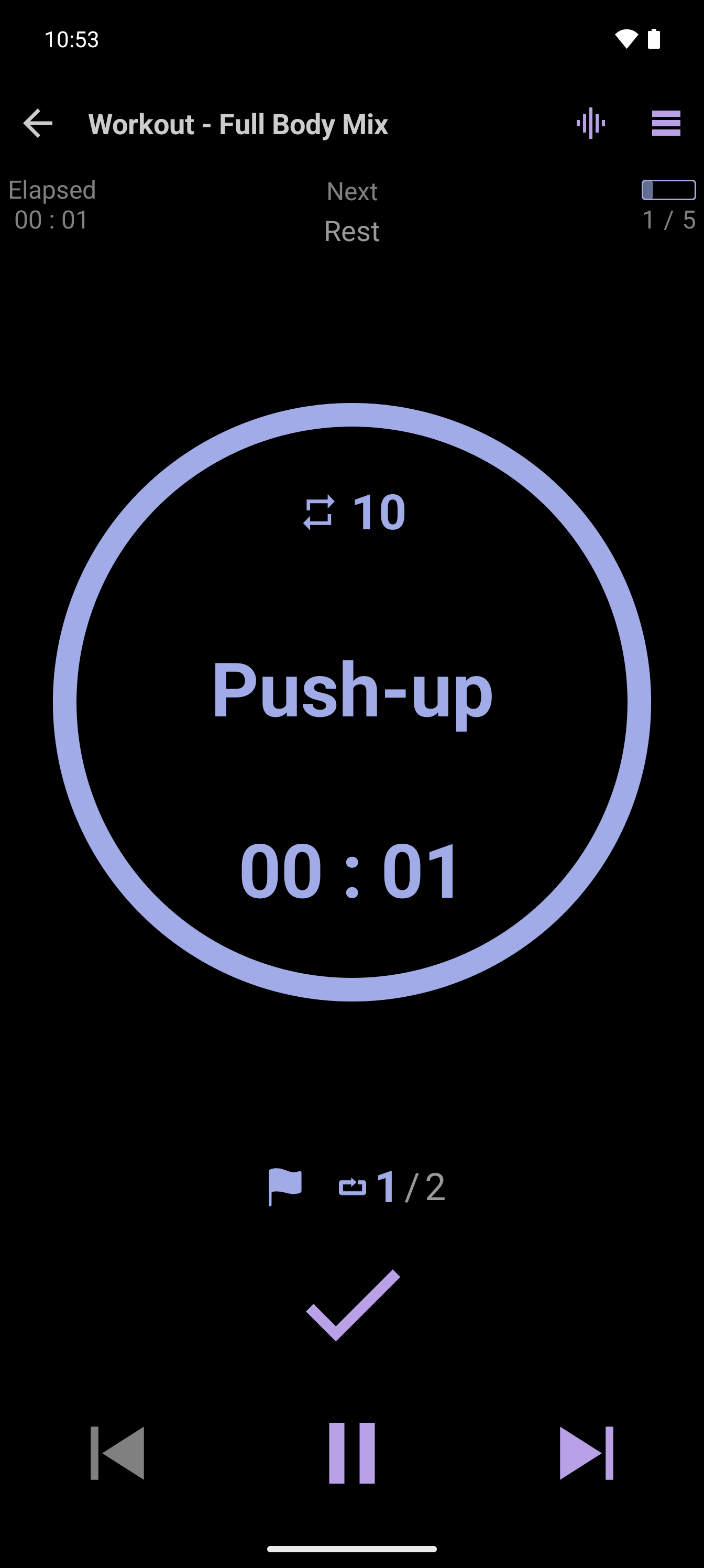
See the current exercise, the next step, and the controls you need. Let the workout guide your pace without crowding the screen.
Explore Simple View →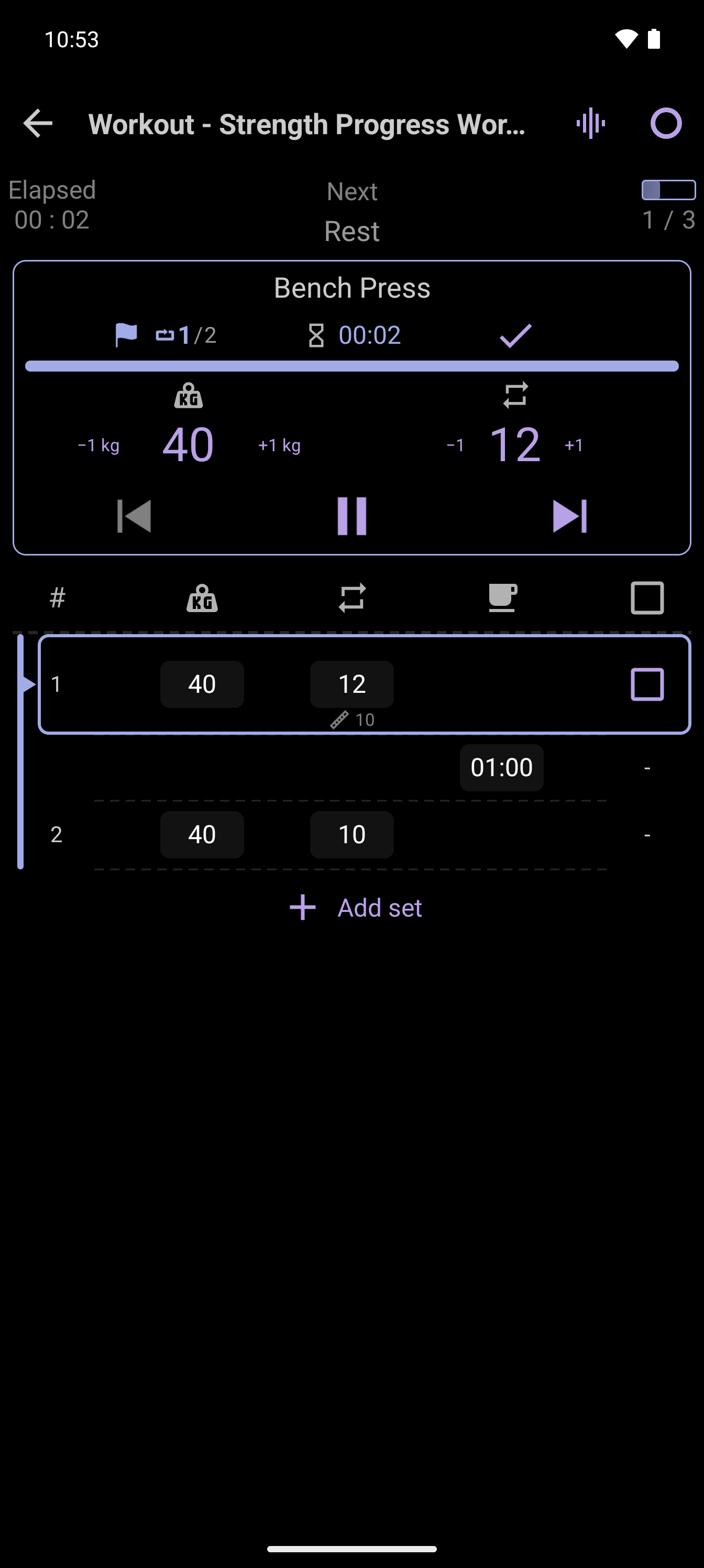
Advanced View
Move from 10 reps to 12 reps while the workout continues. Adjust the current plan when the real session calls for it.
Explore live adjustments →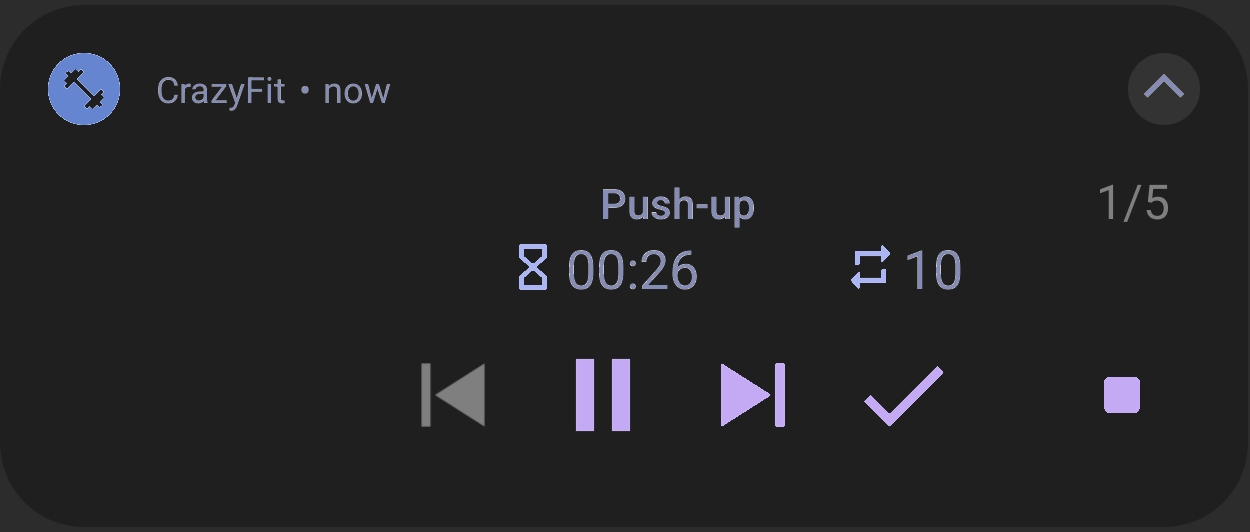
Background playback
Change music or use another app while CrazyFit continues the workout and keeps controls available in the notification.
Explore background playback →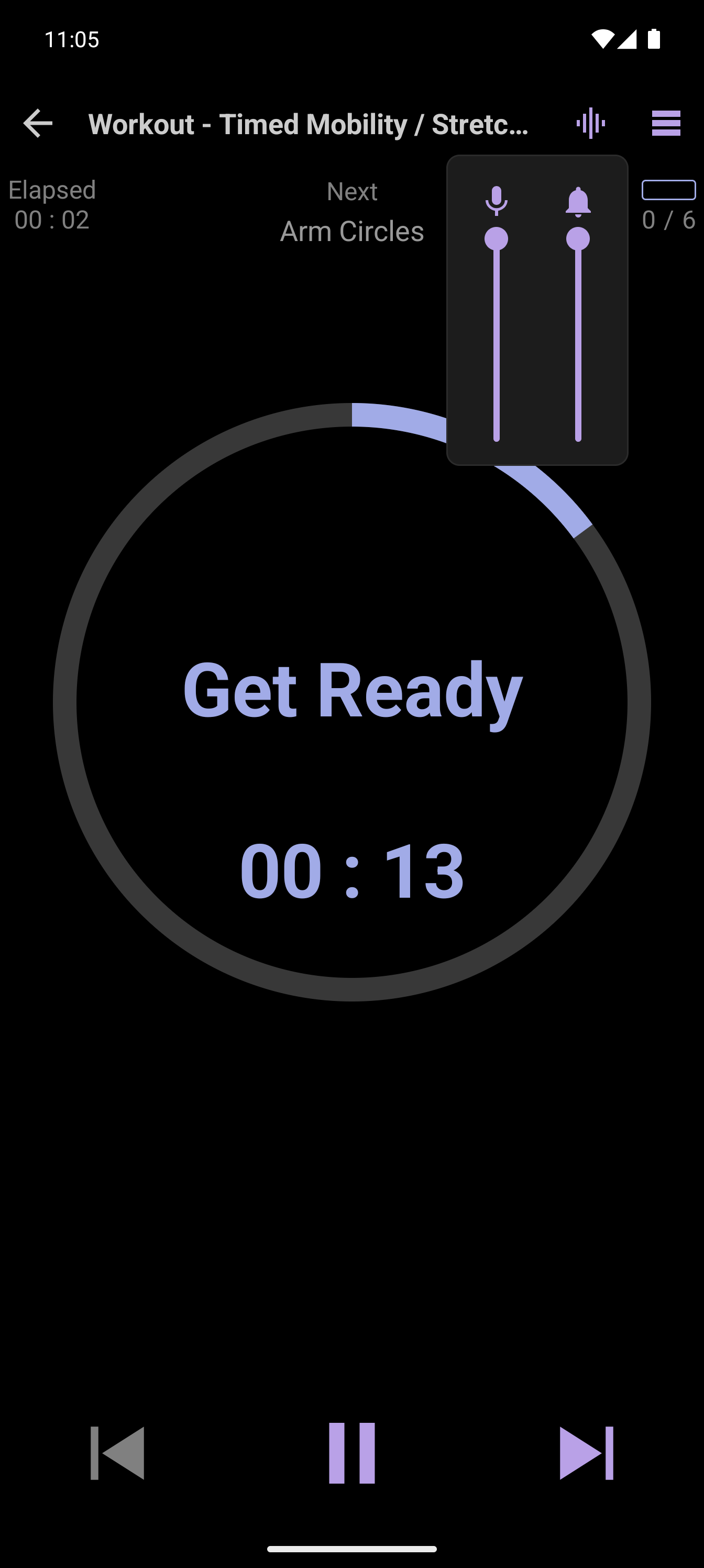
Voice and sound
Audio cues help you keep track of exercise changes and timing without watching your phone through every step.
Explore voice guidance →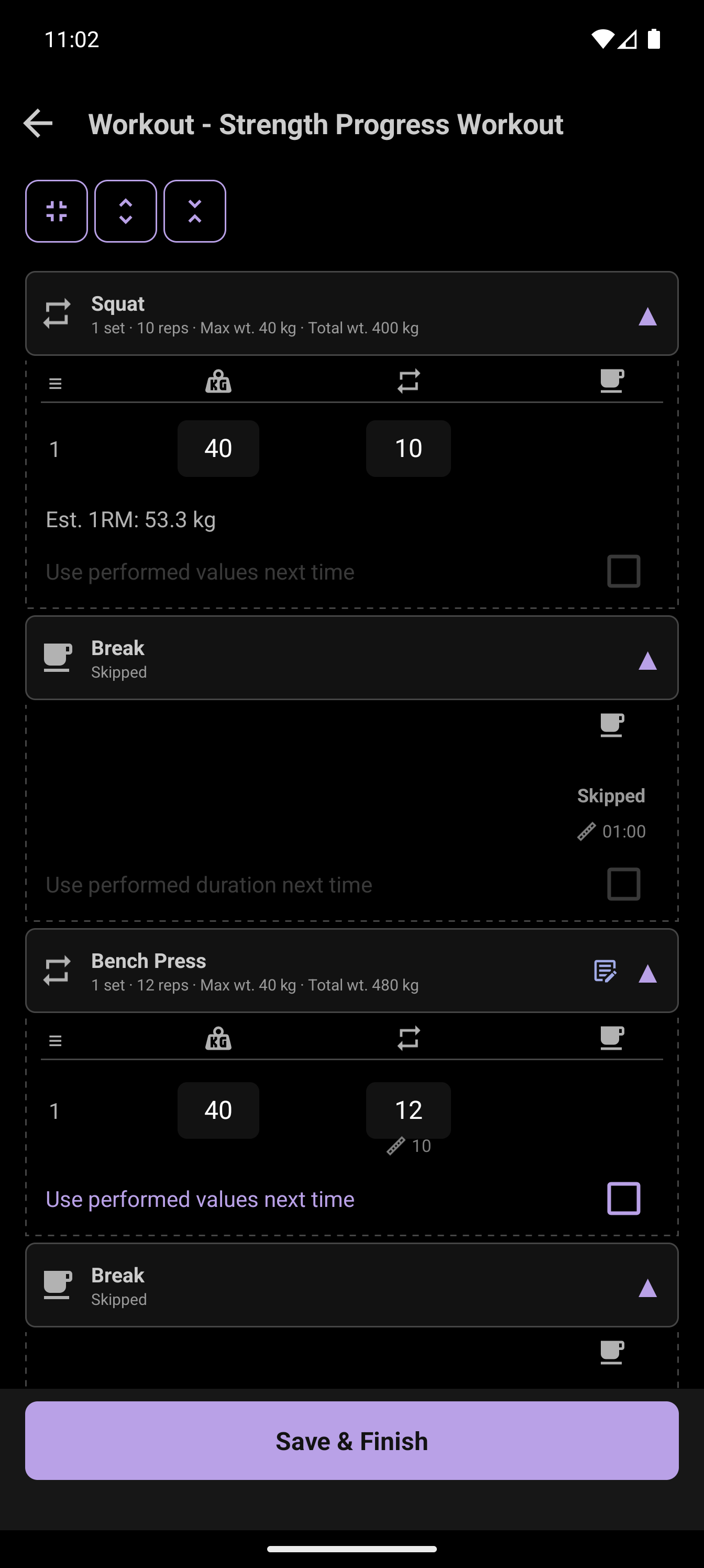
Workout-end review
Review what you actually did, correct this session if needed, and choose whether those changes should update the original reusable workout.
Explore the review flow →03 / Track it
Repeated sessions become a clearer picture of your training. Follow progress, personal records, and goals that fit your routine.
Progress and personal records
Compare what you completed across workouts and spot improvements in your time, consistency, or exercise results. Statistics give those changes context.
Explore progress tracking →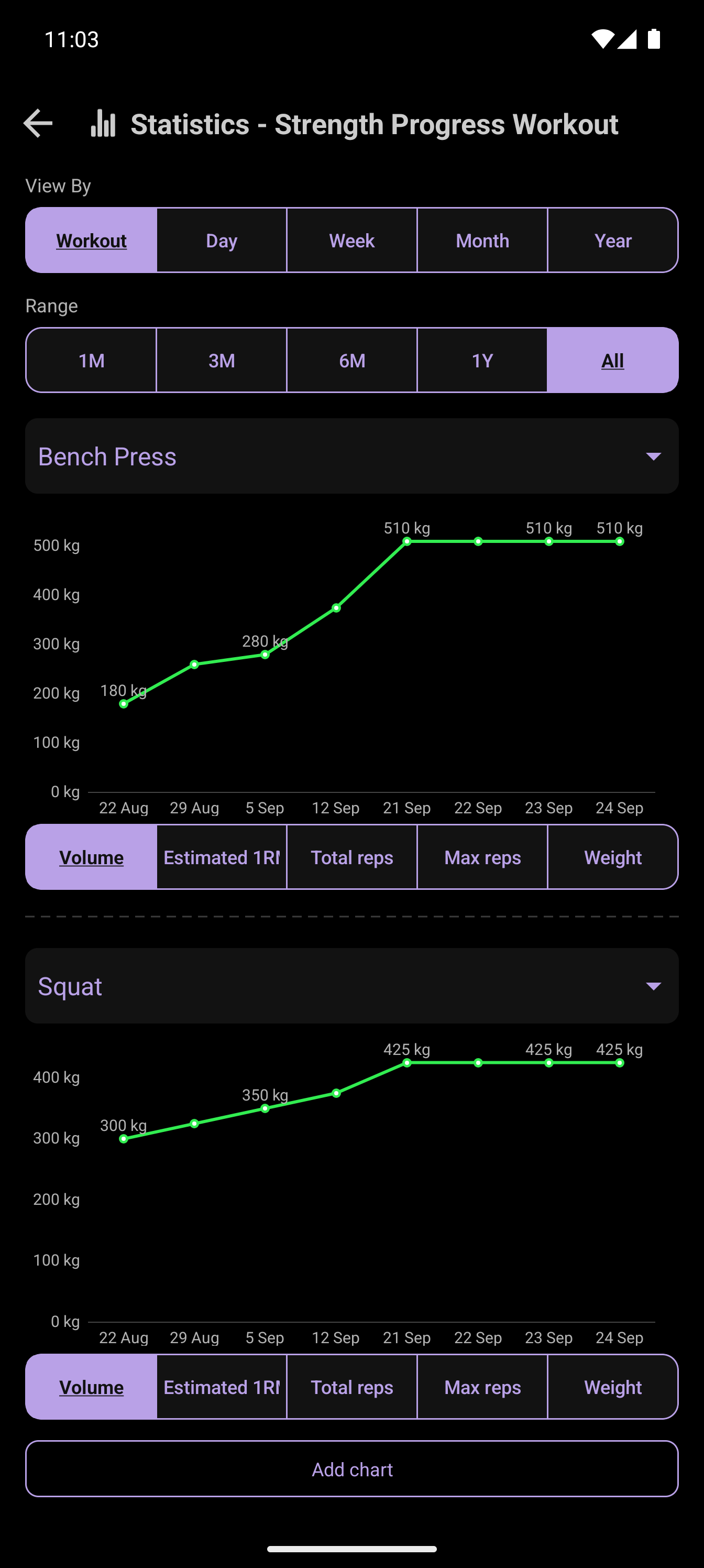
Goals
Set a target for how often you train or how much time you spend training over a week. Check your progress without turning every session into a scorecard.
Explore goals and streaks →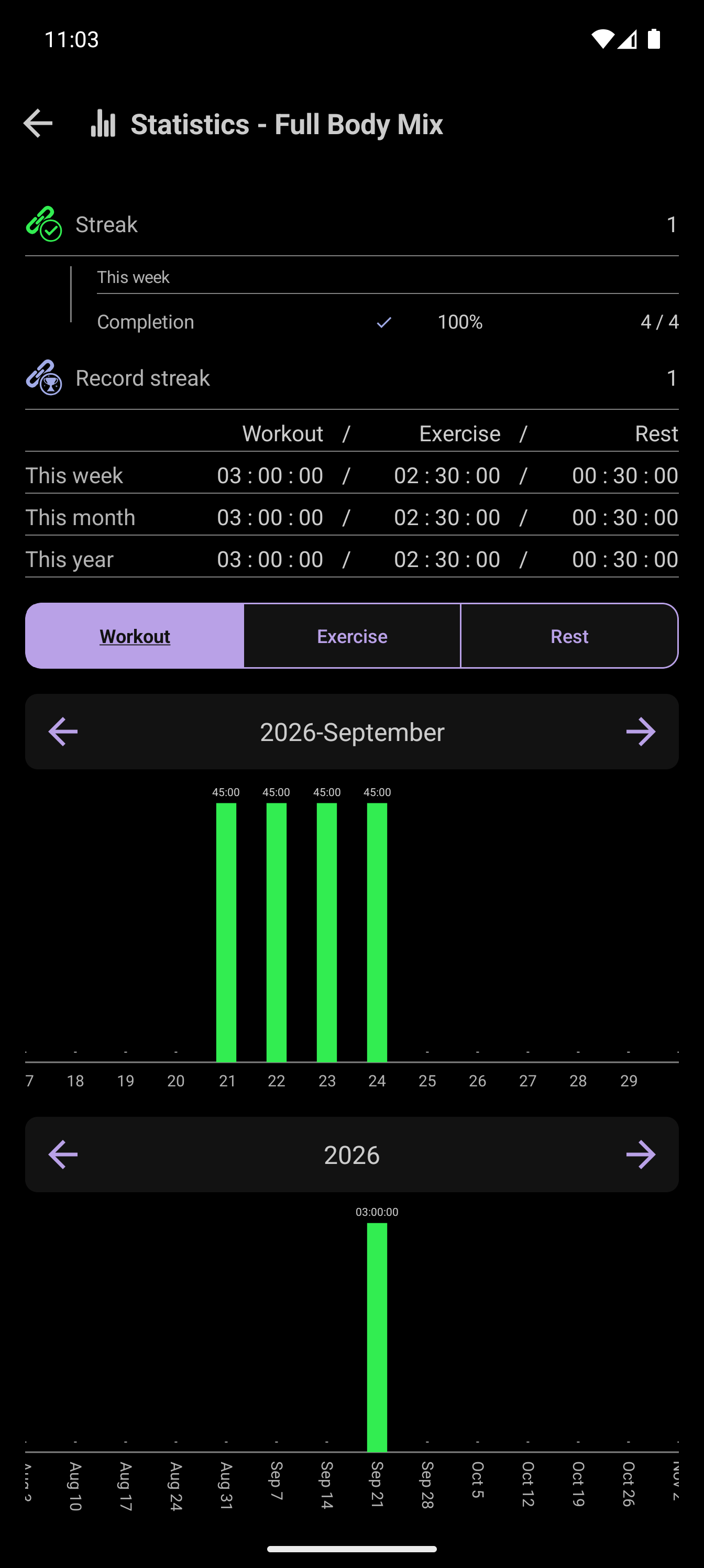
Find your starting point
See how CrazyFit works as a timer, planner or tracker, then follow the path that fits your training.
Run it
Follow timed and repetition-based steps in one ordered workout.
Explore the workout timer →Build it
Mix exercises, rests, sets and reusable routines before you start.
Explore the workout planner →Track it
Use completed sessions, records and goals to guide what comes next.
Explore the workout tracker →Your workout. Your way.
CrazyFit Workout Time brings the full cycle together.
Try CrazyFit on Google Play