
01
Run it / Advanced View
The plan changed. Your workout can change too.
Training does not always follow the numbers you set beforehand. Advanced View gives you live control over workout values while the session continues.
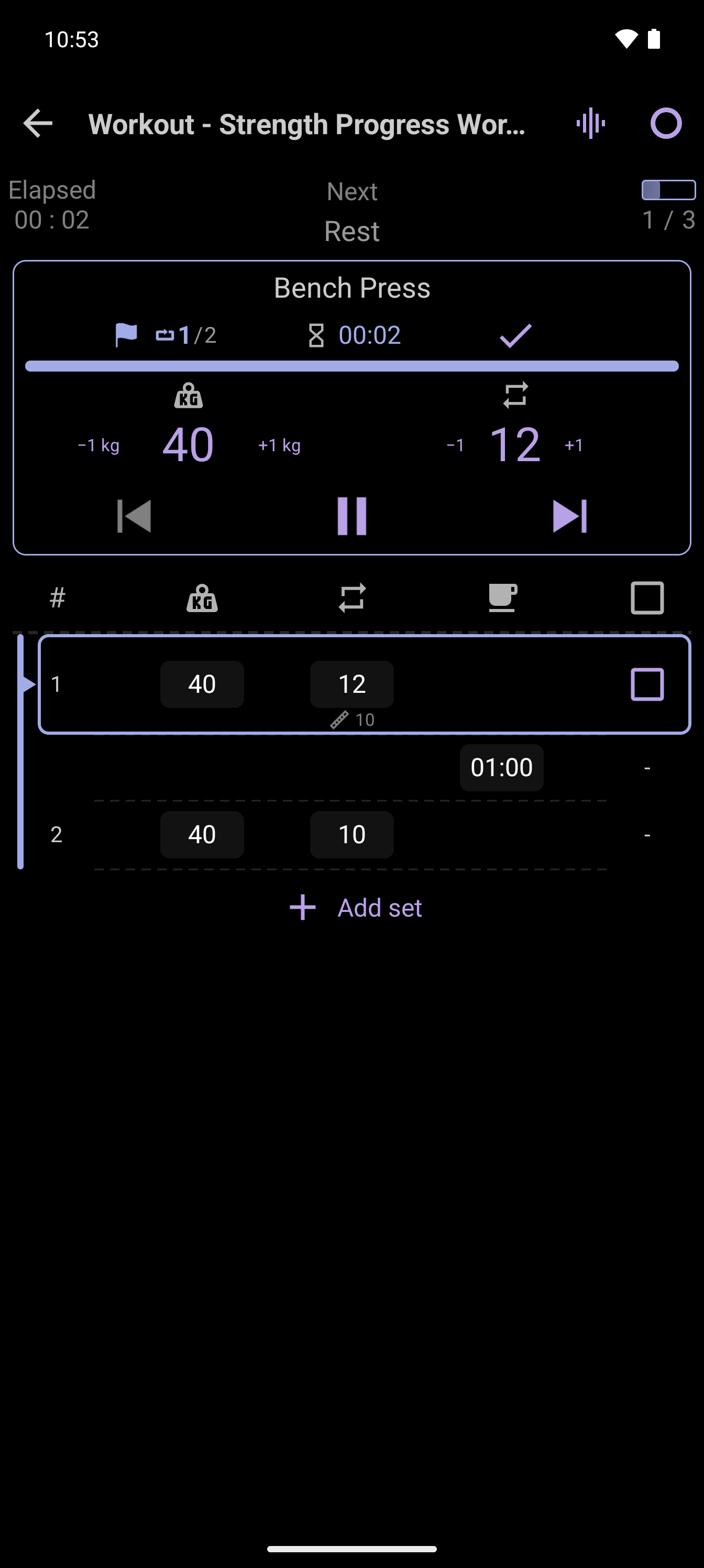
A practical example
From 10 reps to 12
You do not need to stop, rebuild and restart the session just because you can do two more reps or need a different rest duration.
- Start the workout with a 10-rep target
- Open Advanced View while training
- Change the current target to 12 reps
- Continue the same workout
Why it matters
Control without losing momentum
02
Keep the current session moving instead of starting over.
03
Review the final values after training.
CrazyFit Workout Time
Make your workout work your way.
Try the complete workout builder, player and tracker on Android.
Try CrazyFit on Google Play