
Feature
Explore progress and records
See the CrazyFit capability in detail.
Explore the feature →Use case / Workout tracker
Finishing a workout is only one part of progress. CrazyFit lets you review what you did, follow exercise results over time and work toward weekly goals.
The need
To understand progress, it helps to see both consistency and performance. A history of sessions shows when you trained; exercise results and personal records show how individual movements developed.
A practical workflow
After a session, use the results to decide what to do next:
In the app
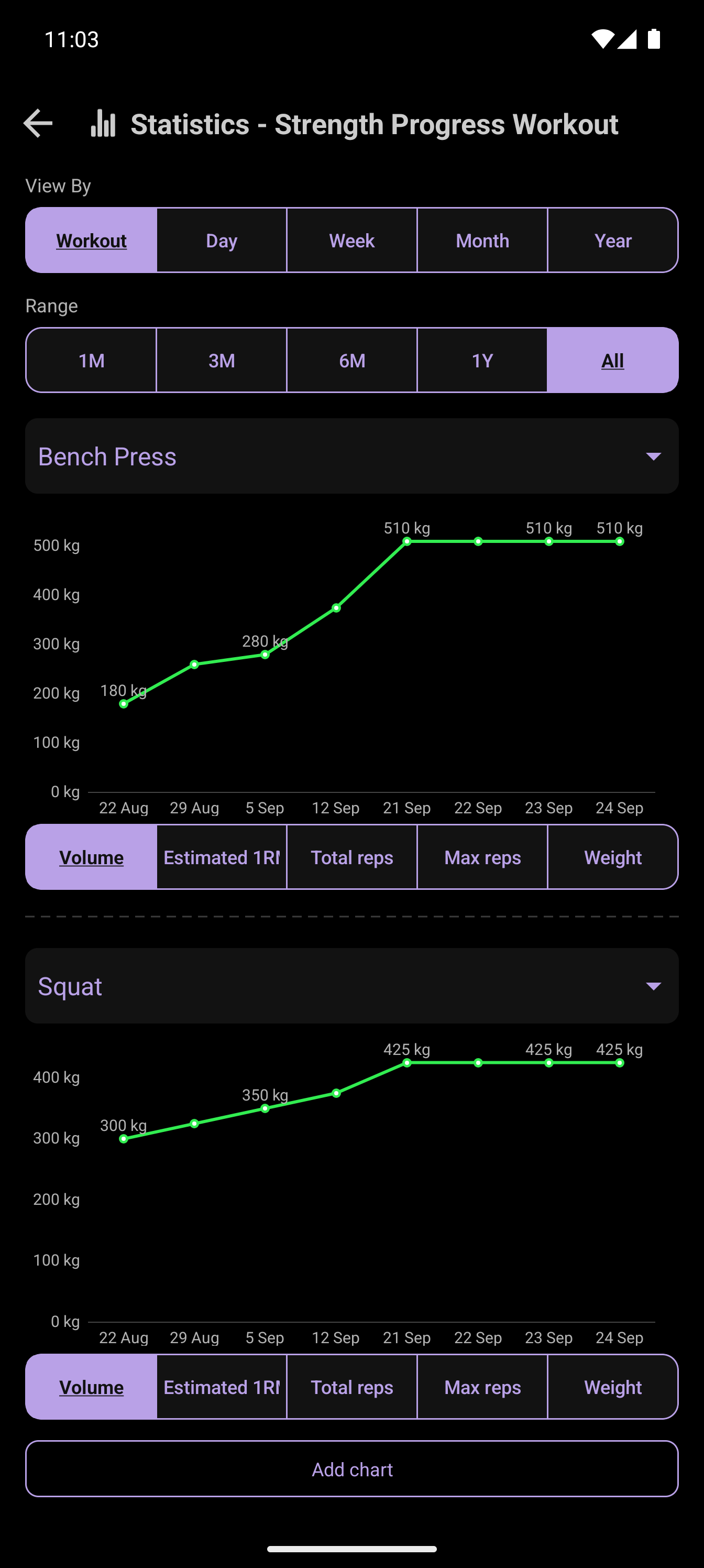
CrazyFit shows training statistics and progress views alongside workout history. Goals add a weekly target, while personal records make improvements in individual exercises easier to spot.
CrazyFit Workout Time
Put the whole workout flow together in one Android app.
Try CrazyFit on Google Play